

Download Syrinx – Free Customizable Twitter Client
Overview
Syrinx is a free, open‑source Twitter client that puts the power of personalization into the hands of the user. Unlike many commercial alternatives that hide essential features behind a paywall or bombard you with ads, Syrinx delivers a full‑featured tweeting experience at zero cost. The application is built on a lightweight framework, which means it starts quickly, consumes modest system resources, and stays out of the way while you focus on what matters most – your timeline and conversations.
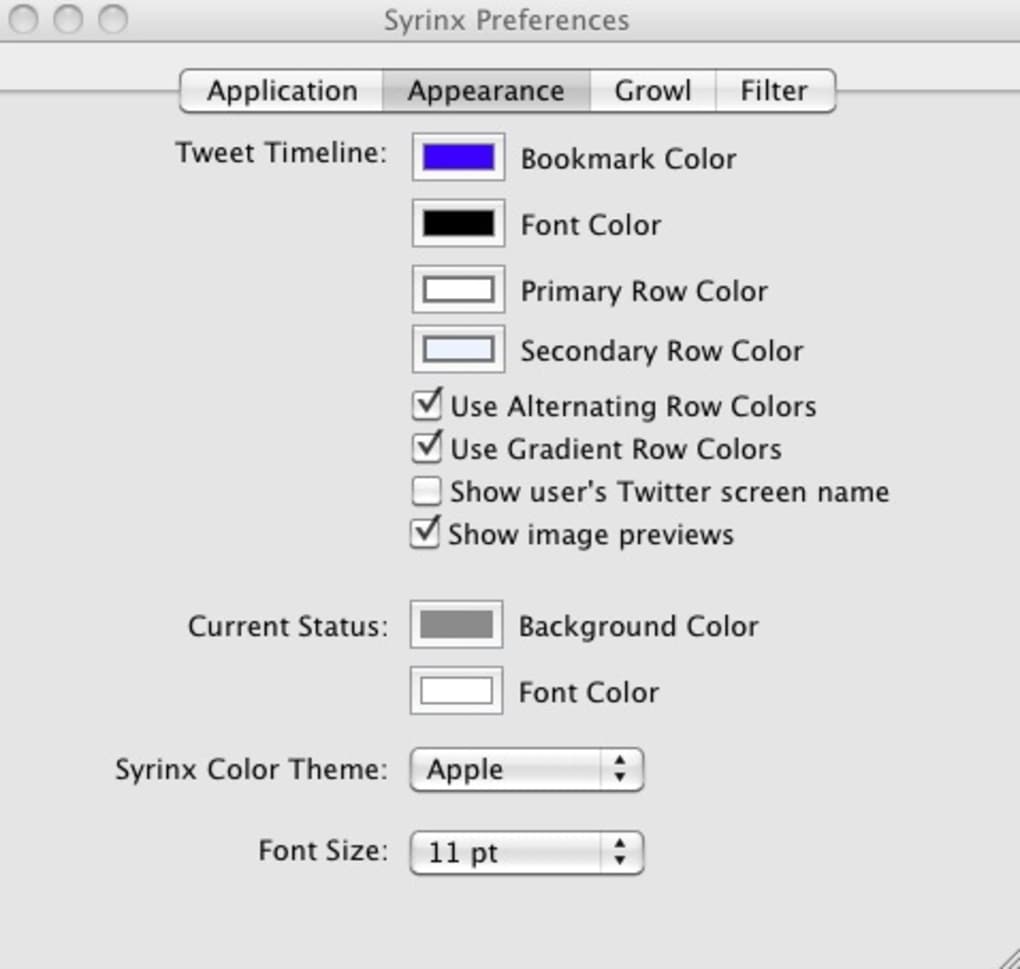
Even though its visual design is intentionally simple and may not win awards for aesthetic flair, that minimalism is precisely what makes Syrinx highly adaptable. Users can change background colors, switch between built‑in themes, or even create their own CSS skins, turning the client into a canvas that reflects personal taste. The client also integrates a handy bookmarking system that lets you tag and revisit unread tweets, a feature that many mainstream apps lack.
Recent updates have added powerful search capabilities that span the entire Twitter universe as well as your personal tweet archive, a one‑click retweet function, in‑client tweet deletion, and automatic URL shortening. While the learning curve can be a little steep for first‑time users – especially when composing a new tweet in the empty input box at the bottom – the interface becomes intuitive after a few minutes of use. In short, Syrinx offers a secure, ad‑free, and highly configurable environment for Twitter power users, developers, and anyone who wants a deeper level of control without paying a cent.
Key Features
- Complete Theme Customization: Choose from pre‑installed themes or create your own using CSS, allowing you to match the client to your desktop environment.
- Bookmarking System: Tag, organize, and quickly return to unread or important tweets without leaving the app.
- Advanced Search: Search across the whole Twitter network or limit results to your own tweet history, with filters for hashtags, users, and dates.
- Retweet & Delete: One‑click retweet and in‑client tweet deletion streamline your workflow and keep your timeline tidy.
- URL Shortening: Integrated shortening service automatically compresses links, keeping characters under the 280‑character limit.
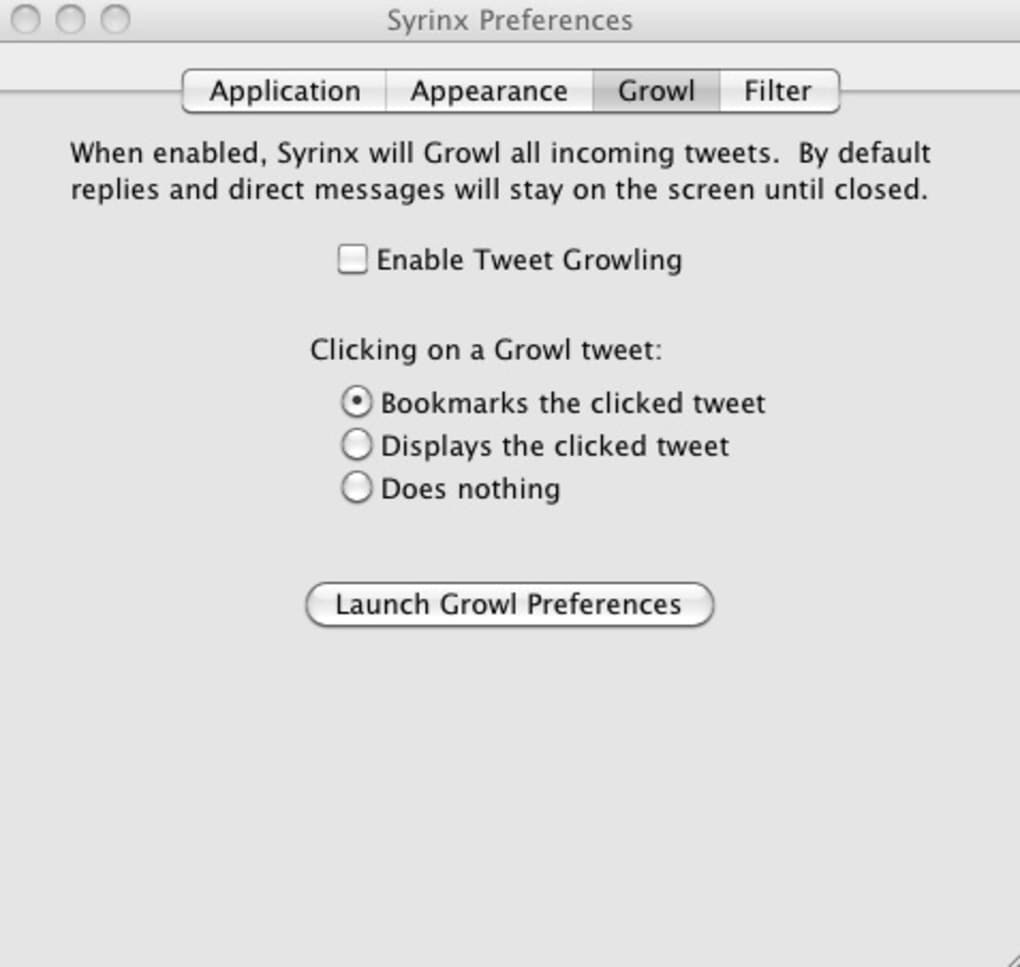
- Growl & Dock Notifications: Real‑time alerts appear as Growl notifications or as a red badge on the Dock icon, ensuring you never miss a new tweet.
- Lightweight & Fast: Minimal CPU and memory usage, making it ideal for older hardware or low‑power laptops.
- Cross‑Platform Support: Available for macOS, Windows, and Linux, with community‑maintained builds for each OS.
- Open‑Source Development: Transparent codebase encourages community contributions, bug fixes, and feature extensions.
- Secure Authentication: Uses OAuth 2.0 to protect your credentials; no password storage on local disks.
Installation & Usage Instructions
Getting started with Syrinx is straightforward, regardless of your operating system. Follow these steps to download, install, and master the client:
- Download the Installer: Visit the official Syrinx GitHub releases page and choose the installer matching your OS – Syrinx‑mac.dmg for macOS, Syrinx‑win.exe for Windows, or the Syrinx‑linux.tar.gz archive for Linux distributions.
- Verify the Signature: For security, compare the SHA‑256 checksum provided on the release page with the file you downloaded. This ensures the package has not been tampered with.
- Run the Installer:
- macOS – Double‑click the .dmg, drag the Syrinx icon into the Applications folder.
- Windows – Double‑click the .exe and follow the wizard prompts (accept the license, choose install location, finish).
- Linux – Extract the tar.gz archive, then run
./install.shfrom a terminal with sudo privileges.
- Authorize the App: On first launch, Syrinx will open a web browser window asking you to log in to your Twitter account via OAuth. Grant the requested permissions; Syrinx never stores your password.
- Configure Your Theme: Open Preferences → Appearance. Choose a built‑in theme or click “Custom CSS” to paste your own stylesheet. Save changes and restart the client to see the new look.
- Start Tweeting: The main window displays your timeline. To compose a tweet, click the empty text box at the bottom, type your message, and press Enter or click the Tweet button. Use the toolbar icons to add images, shorten URLs, or schedule a tweet for later.
- Bookmark Tweets: Hover over any tweet and click the bookmark icon. Access all saved tweets via the Bookmarks panel on the left sidebar.
- Search Effectively: Click the magnifying glass, type your query, and select “All Twitter” or “My Tweets” to narrow results. Use advanced filters like
from:@usernameor#hashtagfor precision. - Update Regularly: Syrinx checks for updates on launch. Accept the prompt to download the latest version, which includes security patches and new features.
By following these steps, you’ll have a fully functional, personalized Twitter client ready to handle everything from casual scrolling to professional social‑media management.
Compatibility & System Requirements
Syrinx is engineered to run on the three major desktop operating systems, ensuring a broad audience can benefit from its features. Below are the minimum and recommended specifications for each platform:
- macOS: macOS 10.13 (High Sierra) or later; 64‑bit Intel or Apple Silicon (Rosetta 2 translation for Intel builds). Minimum 200 MB free disk space; 256 MB RAM.
- Windows: Windows 10 (1809) or newer, 64‑bit; .NET Framework 4.7.2 (included in installer). Minimum 250 MB free disk space; 512 MB RAM.
- Linux: Any modern distribution with glibc 2.17+; kernel 4.4+. Packages are provided for Ubuntu 18.04+, Fedora 30+, and Arch Linux. Minimum 150 MB free disk space; 256 MB RAM.
Because Syrinx is written in a cross‑platform language (Electron/Node.js), performance is comparable across OSes. However, users on older hardware may notice slower rendering of high‑resolution themes; in those cases, switching to a lightweight theme or disabling animation effects can improve responsiveness. The application also respects system dark‑mode settings on macOS and Windows, automatically applying the appropriate theme if you have enabled the OS‑wide dark mode. For Linux users, dark‑mode support depends on the desktop environment’s GTK theme.
Pros, Cons, and Frequently Asked Questions
Pros
- Completely free with no ads or hidden fees.
- Extensive theme and UI customization options.
- Powerful search that includes personal tweet history.
- Built‑in bookmarking system for tracking unread tweets.
- Lightweight, fast, and low on system resources.
- Open‑source transparency and community‑driven development.
- Secure OAuth authentication and no password storage.
- Cross‑platform availability for macOS, Windows, and Linux.
Cons
- Interface can feel cluttered compared to sleek commercial clients.
- Lacks built‑in URL shortening preferences found in some paid apps.
- Initial tweet composition may be confusing for new users.
- Theme creation requires basic CSS knowledge for advanced customization.
- Growl notifications are optional and may need extra setup on some systems.
FAQ
Q1: Is Syrinx safe to use with my Twitter account?
Yes. Syrinx uses Twitter’s OAuth 2.0 protocol, which means you never share your password with the application. All authentication tokens are stored locally in an encrypted format.
Q2: Can I run multiple Twitter accounts simultaneously?
Currently Syrinx supports one active account at a time. You can switch accounts by logging out in Preferences and re‑authorizing a different account.
Q3: Does Syrinx offer a mobile version?
No, Syrinx is a desktop‑only client. However, its lightweight nature makes it ideal for laptops and netbooks, providing a near‑mobile experience on the go.
Q4: How do I create my own custom theme?
Open Preferences → Appearance → Custom CSS. Paste your CSS code, save, and restart Syrinx. The community wiki on GitHub contains starter templates and detailed documentation.
Q5: Will I receive automatic updates?
Yes. On each launch Syrinx checks the official repository for newer releases. You can enable or disable automatic updates in the Settings panel.
Conclusion & Call to Action
Syrinx stands out in a crowded market of Twitter clients by delivering a free, ad‑free, and highly customizable experience. While its UI may lack the polish of premium alternatives, the trade‑off is a level of control that power users and developers will appreciate. The built‑in bookmarking system, robust search, and theme engine make it a versatile tool for anyone who spends a significant amount of time on Twitter.
If you value privacy, open‑source transparency, and the ability to tailor every visual element, Syrinx is worth a download. Ready to take charge of your Twitter timeline? Download Syrinx now and start customizing your tweet flow today.







